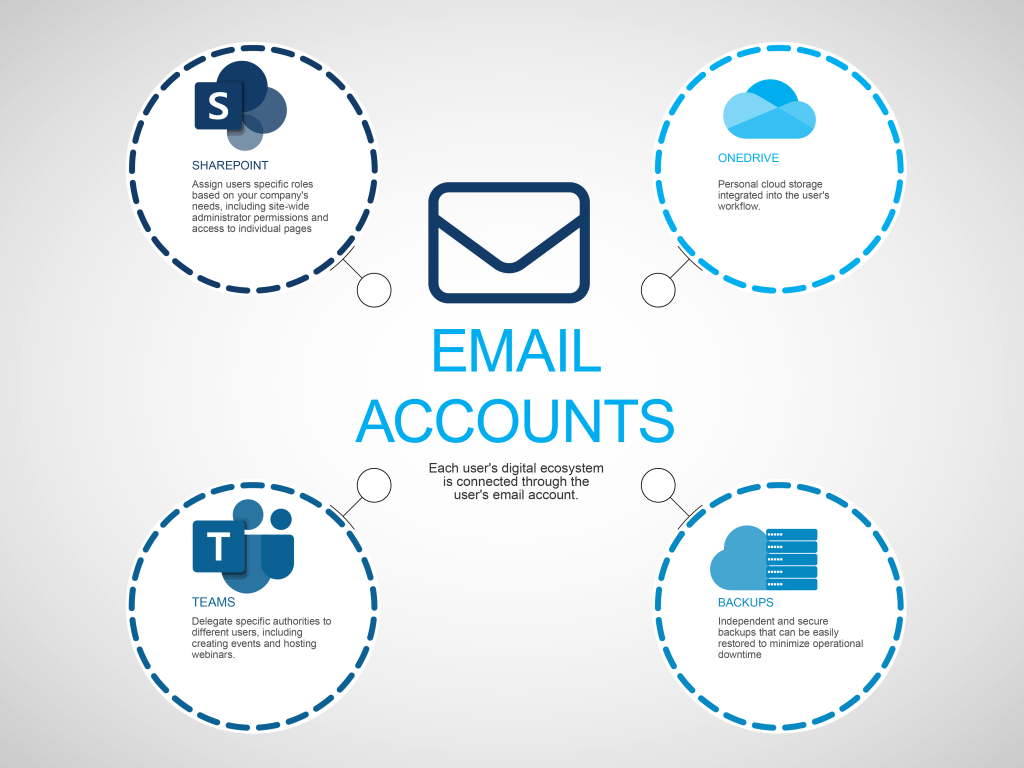
Everyone in your enterprise has an email address, and some people may have more than one. Email addresses are more than a way for people to reach each other, they are logins and the primary way that users identify themselves to applications, and email addresses are the account-identifier for everything from Microsoft Office to backups. A dedicated Support Doctor expert configures addresses for new users and ensure that every account meets security requirements including minimum password requirements and multi-factor authentication.
New Users
Every user needs some of the same basic tools. For most businesses this starts with an email address and core applications like Microsoft Office, and the users’ email addresses are what connects applications to each other, and to individual users. Support Doctor’s experts take your enterprise beyond giving everyone access to the basic tools that everyone uses and identifies what each person needs at the individual level.
Across the organization, users need varying levels of access to assets including Microsoft Teams and SharePoint. Some users may need administrator privileges to moderate webinars and create new SharePoint sites, other users may need to only join Teams meetings and read SharePoint, but most will need a finely tuned set of permissions that our expert vCIOs craft uniquely for each user that balance security with the enterprise’s operational needs.
Support Doctor’s vCIOs prioritize data integrity when onboarding a new employee and creating new accounts. Like how email addresses are how users access essential applications, it is also how data is stored and backed up. Our certified experts create your enterprise-wide backup plan, but also create backup plans at the individual user level. These secure backups are automated and by being at the user-account level make restoring individual devices and critical files fast and easy.
Security Starts with Users
Controlling access based on roles standardizes onboarding and security processes, enhances security and ensures fast deployment with no business disruption. Email accounts are the structure Support Doctor’s experts use to assign and manage roles to secure every account, your enterprise and your data to the same high standards.
Support Doctor’s vCIOs expertly create security rules that don’t slow your business’s productivity while providing the maximum level of security. Our experts setup multi-factor authentication by default on all user and administrator accounts, and can set user-specific geographic restrictions to prevent access from specific places. These restrictions can be broad, such as blocking logins from a geographic area, or narrow such as only allowing logins from a specific metro region, and can change based on business needs including short term travel.
Find out how Support Doctor’s Virtual CIOs and certified experts simplify your account creation and onboarding processes while reducing your costs. Schedule a free consultation today to begin enhancing your enterprise’s security.